Social Events & Meetings
What is Disaster Recovery Planning? by Sponsor Alchemy Systems
|
Unusually for IT, the title is actually self-explanatory! To rephrase though, it’s the process a company goes through to get into a position where they can come back from a catastrophe, in a reasonable period of time, having suffered no major data loss as a result of the event.
Disaster Recovery Planning, or DRP, is the first step towards achieving this highly desirable state of system robustness. The Business Continuity (or BC, for those in the know) refers to a firm’s ability to keep running, to some degree or another, during a disaster. |
 |
The Basics – Data Backups
As you might expect, the cornerstone of any sort of DRP will be backups. These can take many forms depending on data type, volume of data, and the speed with which restoration might be necessary. The absolute most important thing about backups though, is that they are;
- performed on a regular basis
- periodically checked to ensure that you are actually backing up what you need to back up (and nothing else)
- subject to test restores, to ensure that backed up data can be brought back following a failure
- located securely on-site and also, off-site, so that they are not at risk in the event of fire / flood or similar
- versioned, so that there are multiple backup sets to choose from. This is key when recovering from ransomware attacks, as the particularly nasty ones can encrypt backups too.
The Basics – Prevention is still better than Cure
Aside from taking backups of data, there are a number of other steps that can be taken to mitigate risk and to maximise up-time;
RAID (Redundant Array of Inexpensive Disks)
If you have a server, ensure it’s running a RAID-1 or RAID-5 Array, which provides some protection against physical drive failure.
Previous Versions Are Cool
Windows 7, 10 and Server 2008 / 2012 / 2016 have a feature called “Previous Versions”. It’s basically a snapshot service that Windows runs to enable you to quickly restore a file from a previous time. It’s free, it’s easy, why not use it?
Use the Power of the Cloud!
Like anything else with IT, there are multiple ways to approach this (full Hosted Desktop, Hybrid Solutions with local storage replicated off-site, and Office 365 email, or just Cloud-based backup). The main point of Cloud solutions is that is that they can offer;
- availability of service, irrespective of whether your local Network / internet connection is functional
- higher up-time (SLA) than servers typically used in SME businesses
- better security protocols (256-bit AES Encryption, 2-Factor Authentication) than typically used in SME businesses
- enterprise-level backup from the provider(s) of the services
What about Business Continuity?
In short, if BC has been done well, your key business processes can continue:-
- Email will still flow to and from handsets / laptops / tablets from user’s own internet connections and / or 4G
- Word, Excel, general office files will continue to be available via offline storage and / or Cloud repository
Post Disaster
After the disaster has passed (fire put out, flood mopped up, internet connection restored, server replaced, you name it!) normality can return. At this point, the hard work has paid off and the Data Manager can pat himself on the back on the basis that no data has been lost, and administrative productivity continued undiminished.
A post-Disaster review is usually recommended at this point, so that fine-tuning can take place; there’s always room for improvement, right? This improvement might not even be a technological one but can also comprise cultural procedures and amendments to those sections of the “Office Manual” that deal with staff procedures, protocols etc. In any event, if there is a mechanism in there for an introspective look at what happened, it provides the opportunity to make those improvements and determine what happened in the first place, the latter of which will be very useful in helping to avoid similar issues in the future.
How Alchemy can help

Call us – 0330 043 0801 Email – Hello@alchemysys.co.uk www.alchemysys.co.uk |
Alchemy can provide you with highly skilled consultants, able to understand your business and give you the right advice for your disaster recovery plan. We have a range of back up solutions to meet all budgets that ensure that you have the best product and end result possible.
|
Like Back to Top Seen 588 times Liked 0 times
Subscribe to Updates
If you enjoyed this, why not subscribe to free email updates and join over 1295 subscribers today!
Subscribe to updates
Alternatively, you can subscribe via RSS 
All email subscriptions must be confirmed to comply with GDPR.
Related Posts
08th March 2018 | March 2018
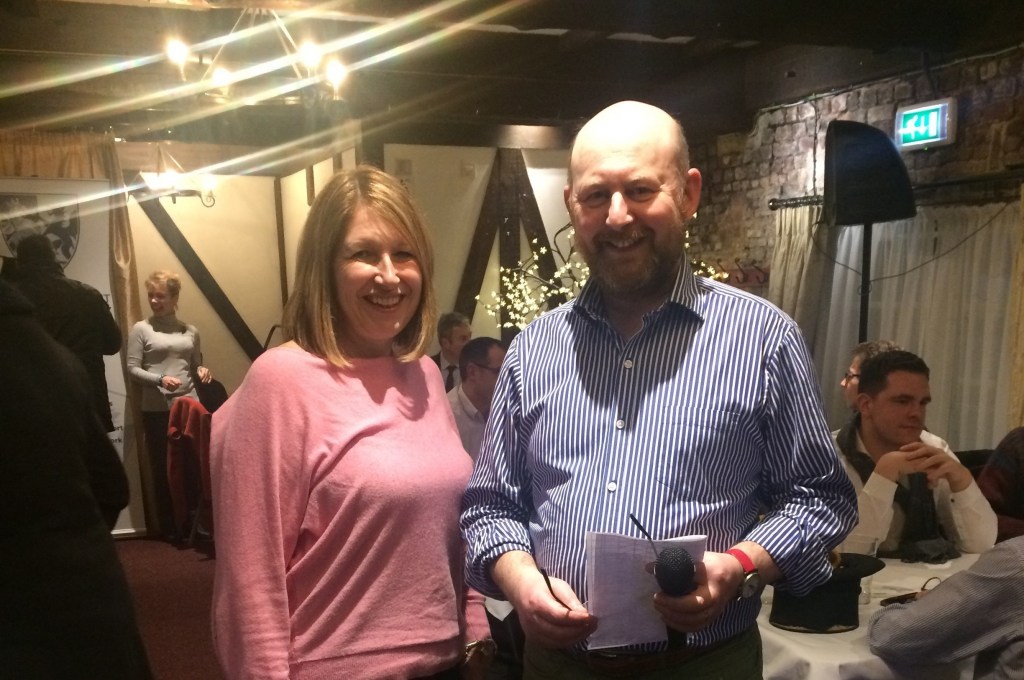
As I write this, my last review, I am also reflecting on my year in preparation for my report for the AGM. It has been a busy, stimulating and enriching year which has literally flown by! After a relatively quiet start to the year in terms of engagements, February was pretty full on and March looks set to continue that trend. I attended a very enjoyable lunch with many Past Presidents of the Society at which consideration was given to the nomination of our next Deputy Vice President. This is the day on which I can take a deep breath and hand over to our next President at the AGM in April. I was recently asked what I would do with my “spare” time when my year comes to an end. I have been disappointed that I haven’t had as much time as I had hoped to devote to fundraising for my nominated charity, the Air Ambulance. Vice President, Stephen Mahoney and I wanted to choose charities which covered the whole of Devon and Somerset and agreed that our fundraising for our respective years would be split between Devon; and Somerset & Dorset Air Ambulance Trusts. Fundraising is crucial - each rescue “mission” costs upwards of £2,500 and between them the two trusts have flown around 36,000 missions. These fantastic charities save lives and we never know when it might be ours or someone we care deeply about. I therefore intend to devote some more time fundraising to swell the coffers of those two very worthy causes. Arrangements for our Annual Awards and Dinner are continuing to secure a new date** as soon as possible following the decision to postpone the event due to the adverse weather at the beginning of March. I am sure that the renewed preparations will ensure a spectacular evening with plenty of celebrations for the worthy winners. Thank you to all who have been involved, in particular our media partners for the third year running, Trinity Mirror. Trinity Mirror have been through significant strategic change during this year and it is a tribute to Michelle, Alice, Sarah and their teams that their support and enthusiasm for this event has continued seamlessly throughout. Thank you. ** STOP PRESS - date confirmed for 1st May 2018 at RICC, Torquay (9.3.18). For the first time, this year the DASLS committee fielded a quiz team for the challenge cup. A great evening was enjoyed by all with Tony Steiner setting the questions and playing the inimitable quiz master. It’s fair to say that our team exposed our combined lack of general knowledge but we had great fun!! Our strategic plan is currently under review and we have spent considerable time considering what our next plan will look like and how, with the many changes impacting our profession, we ensure that DASLS is “fit” for the future and can appropriately represent you and provide the services that meet your needs. I am enormously grateful to those of you who completed the questionnaires which have helped inform the review. A report will be brought to members through our committee within the next few months advising of our proposed new strategy. On 14th February I had the unexpected pleasure of attending a drinks reception at the invitation of Mr Justice Baker, during the Lord Chief Justice, Lord Burnett’s visit to Devon. I was very honoured to represent DASLS at this event, meeting Lord Burnett and other distinguished members of the judiciary. I will shortly be representing DASLS as a member of the Twin Bar Association at the Festival of Saint Ramon de Penyafort (the patron Saint of Lawyers) in Barcelona. It’s an interesting time to be visiting and, in these changing times, I am sure the strong reputation of DASLS among our European colleagues will continue to be enhanced through these links. During my final few weeks of office I am looking forward to attending the Legal Sunday Service in Wells Cathedral, for those concerned with the administration of justice in Somerset, and repr...
08th March 2018 | March 2018

What have been the highlights of your involvement with DASLS to date? One of the undoubted highlights was taking part in the Exeter Legal Sunday Service last June and hosting the dinner for our International guests the night before. There were lawyers from Belgium, Germany, Holland, Italy and Poland. Some had taken part in the service several times before while, for others, it was the first time, but they all loved the ceremony and the history of the occasion. The fact we processed for the first time from Exeter Castle to the Cathedral and back for the High Sheriff’s Reception just added the crowning touch. This year the service is taking place on Sunday 10th June and it would be great to see more DASLS Members taking part and making what could prove to be useful connections with other European lawyers.Another really memorable event was my first experience of a Twin Bars Meeting, also in June, hosted by the Bilbao Bar. Their hospitality was fantastic and it was a great opportunity to mix with representatives from all our Twin Bars. Talking to lawyers from other European countries, you learn they all face similar if not worse challenges to us, such as cuts to publicly funded legal services and increasing political pressure on the independence of the profession. Has your year as Vice President been all about hosting or attending social events? I wish! On the first day of the Twin Bars Meeting in Bilbao, all the Bars had to make presentations on the impact of the abolition of mobile phone roaming charges in their jurisdictions, a subject about which I knew precisely zero. A few anxious days were spent pulling information together from various sources and colleagues before International Relations Sub-Committee Chair Emma Mitcham and I faced the international audience with our offering. My next Twin Bars Meeting is at Leuven in Belgium. I am hoping their topic for presentation is one I know more about. Of more immediate relevance to the profession at home, I have chaired a meeting to compose the DASLS response to SRA consultation papers on ‘Changes to the SRA Handbook’ and ‘Looking To The Future: Better Information, More Choice’. In the next few days I, along with President Sue Aggett, Deputy Vice President Nigel Lyons and immediate Past President Mark Roome and other members of the working party will be participating in the DASLS Strategy Review Meeting. This takes place every three years to look at where we are as a profession in Devon and Somerset and what the Society needs to do over the course of the next three years to support and remain relevant to lawyers in our Counties. You become President at the AGM on 24th April. What are you most looking forward to? At the moment, I am most looking forward to the 2018 DASLS Legal Awards and Dinner. I have attended many of the planning meetings for this. Sandy Park in Exeter was a great venue for the Inaugural Awards and, again, for last year, but I believe this year’s venue, the Riviera International Centre in Torquay will take the event to the next level. Trinity Mirror South West who are DASLS’ partners in organising the awards have been involved in many other events using this venue. Working in Wellington, I was pleasantly surprised to find it took just over three quarters of an hour from the RIC carpark to get back to my office, so I am hoping there will be good attendance from Somerset firms on the night. Are there any challenges you immediately foresee as incoming President? With the benefit of having seen the replies to the DASLS Engagement Survey ahead of the Strategy Review Meeting, I am aware there is a need for DASLS to find ways of engaging with more of its members in North Devon and Somerset. We will take these comments on board. The Society strives to be useful to all its members. The greater the geographic spread of firms involved on the various Sub-committee...
08th March 2018 | March 2018

I was recently asked to speak at a national risk and compliance conference and asked to share my experiences of managing regulatory relationships. Whilst planning what to say, I reflected on my experience of good management and the fact that most lawyers and compliance professionals I meet are striving to achieve a common goal; to stay regulated and to be part of a well-run business. With time to reflect on how this can be achieved, I thought I would share with you – as I did with the Conference delegates – my thoughts on how to stay regulated. Effective management of the regulatory relationship creates a situation which is unsurprising for both you and your regulator. It’s good to be dull in regulatory terms! It’s good to be low maintenance and work in an environment where events are anticipated and actively planned. It’s a situation where fire-fighting and chaos is avoided and regulatory reactions are well-rehearsed. It’s timely, you are not caught unawares, it’s supported by effective communication (internally and externally), and you have the means of being able to prove you do what you say. It seems to me that there are five components to rolling out an effective compliance strategy: Step 1 – understanding and agreeing to the concept of regulation Of course, I hear negative views about how we are regulated and I do understand why there are frustrations. However, my starting point is this: do we support the reasons why the law is heavily regulated and do we want to be part of this industry? Regulation ensures that both we and our clients are protected from those who may try to undermine what we can do with our knowledge and skills. A good reference point for this is always the wise words of Sir Thomas Bingham who, in the landmark regulatory case of Bolton v Law Society, expressed it by saying that lawyers should act with “integrity, probity and complete trustworthiness” before adding “a profession’s most valuable asset is its collective reputation and the confidence which that aspires……the reputation of the profession is more important than the fortunes of any individual member. Membership of a profession brings many benefits, but that is a part of the price”. These sentiments help with an understanding of both the regulatory objectives in the Legal Services Act 2007 and the SRA’s risk based regulatory framework. This isn’t up for debate which means that if we want a fuss-free regulatory relationship we must accept these motivations and ensure that everyone in the firm understands not only their duties to their business but also to the industry. Step 2 – understanding the technical requirements There are three areas of knowledge we must understand: the law and regulatory compliance standards, and professional duties. Compliance is dynamic and legal and regulatory duties are constantly evolving. We need resources to keep ourselves and our firms up to date. However, I would argue that this is straightforward and it’s the third element that creates more challenges. We are professionals operating in a regulated industry. How do we ensure the right behaviours of our people? Again, a useful starting point is Bingham’s phrase; integrity, probity and complete trustworthiness. What makes someone a trusted adviser? Surely, this includes an understanding of duties to the court, duties to our clients and then duties to uphold the collective reputation of the profession so that we do not do anything which brings the profession into disrepute (to revive a phrase from a bygone era). This is a tough ask, particularly of those people with whom we work who may not have a legal background. It is risky to assume that everyone in the firm will have prior knowledge of the characteristics we are asking them to display. We make it harder with the language we use. Whilst we are getting better at toning down our language with our clients...
06th March 2020 | March 2020

Dear All, This year really is flying by. I have just had my birthday. After updating you previously on the excellent catch up I had with the Law Society CEO Paul Tennant on his visit to the south west last November, I had not expected to be back in touch with him quite so soon. Sadly, this time it was in less happy circumstances. I was, like many of you, shocked and saddened in January to hear the news and see the pictures of the substantial fire at Chancery Lane in London. I have emailed Paul Tennant and James Shepherd, our Law Society Relationship Management Executive, to send our best wishes and we are hoping that the building will be back to full use very soon. As I write this report, preparations are in full swing for the 2020 DASLS Legal Awards & Dinner. As you know the Annual Dinner is being held again this year at Exeter Cathedral. The event is to take place on the 30th April 2020. After the success of last year, we are hoping that once again the event is sold out which would mean we will have around 480 people attending. If you have not done so already, please contact Llew Nicholls and the team at our Awards partners ‘Grow Marketing’ who have worked very hard alongside our very own Tony and Monique to achieve full sponsorship of this event. You can contact Llew to book the remaining places by emailing Llew directly at Llew@growmarketinguk.com. There have been more nominations than ever before with more entries making the short list. Please do not miss this dazzling occasion. You will all have received DASLS latest 2020 training courses programme. Tony Steiner and the team have worked hard to arrange these events. You will see that as members you get preferential rates and if appropriate reduced rates for multiple attendees from your firms. Please take advantage of these services as a proportion of the monies do go to support our Society’s broad continuing education offering. If I do not see you individually before I look forward to catching up with you at the 2020 DASLS Legal Awards and Annual Dinner in April. With very best wishes Nigel Lyons President 2019-2020...
06th March 2020 | March 2020

New AML Regulations and the pursuit of the beneficial owner. Introduction The new Money Laundering & Terrorist Finance (Amendment) Regulations 2019 which came into force on 10 January have modified a number of aspects of the 2017 AML Regulations, with which we have been complying for some time. However, many firms’ procedures hark back to the earlier days of the 2007 Regulations and have not been modified or updated much over recent years. This article seeks to set out what the new Regulations in fact require, and the steps we should be taking in relevant cases. The Policy It has been true for some time that the ultimate aim of all the regulatory rules is transparency – it has always been the case that the use of artificial structures such as trusts, companies, bearer shares, foundations and charities – whilst perfectly legal – have to some extent also benefitted from the extra anonymity they offer to the true owner and recipient of the funds and services we provide. If we offer services to these types of entity, the Regulations require us to go some way to identifying the individuals who are actually benefitting from our services, and this entails uncovering the true ownership of the organisation. Whilst this would be difficult in many instances – Cayman Island companies with bearer shares, for example – we must nevertheless attempt to get some assurances from the creators of the companies, accountants or registrars as to the ownership of the shares, and have some way of being notified of any change in ownership. We also need to be aware of the PEP and Sanctions status of these individuals. Further, for UK companies, the PSC Regulations 2016 impose an exactly similar obligation on the companies themselves to identify their beneficial owners and notify Companies House of any shareholder with 25% or more of the shares or exercising control over management of the business. The Regulations The Regulations provide that we must, as part of our CDD procedures Identify the client – this means coming to know who they are, by name and some other characteristic, e.g. address, date of birth, date of incorporation Verify that identity – by means of reliable and independent data and documentation Identify the beneficial owner (if the client is an entity) – though not necessarily verifying that identity Identify and verify the identity of the person actually instructing us (if not already done). What this means for us When acting for a COMPANY (that is not a listed company) the Regulations require us to obtain Details of the company as registered (which must be proven by a copy of the register entries available from Companies House or equivalent registry) – name, number, registered office address, principal place of business the law to which it is subject details of its governing documentation (its memorandum) names of the directors. Names of any beneficial owners, and the identity of any individual owners of legal entities which own the client Names and verification of the persons instructing us on behalf of the company, and their authority to do so. Note that we cannot rely on the information provided by the company under the PSC Regulations but we must undertake our own research in order to fulfil our CDD duties. Further, if as part of that research, we discover that the Companies House data on PSC’s is incorrect, then we are now under a further obligation to notify the Registrar of Companies of this fact. We also need to establish that PEPs and Sanctions checks are also undertaken. If genuinely positive entries are revealed in response we should undertake enhanced CDD steps or cease to act, accordingly. Electronic searches are a permissible avenue to use provided the search provider can offer us the necessary assurances that the person actually claiming an identity is IN FACT that person. Check also whether ...